
A touch-screen catalogue for your collection.
Museum Catalogue turns an Android tablet into a self-service exhibit guide. Visitors browse photos, video, and audio by category; staff add and describe items on the same tablet, with no separate content system. It works fully offline.

How it works
The whole visit runs on a few screens — and staff never leave the tablet to manage what is on them.
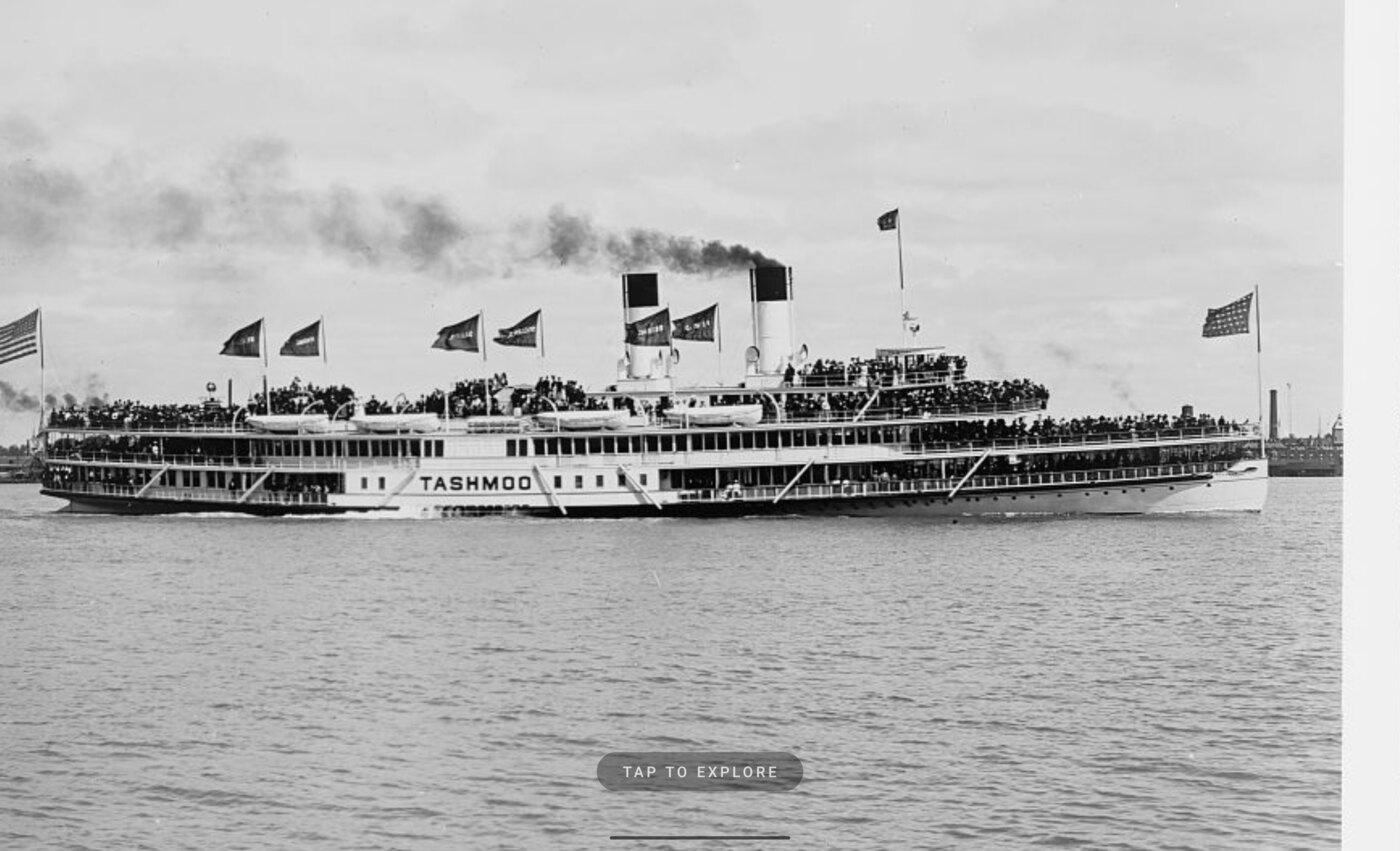
Attract mode invites visitors in
When idle, the kiosk shows a full-screen photo, slideshow, or looping video that staff choose. One touch begins.
Categories build themselves
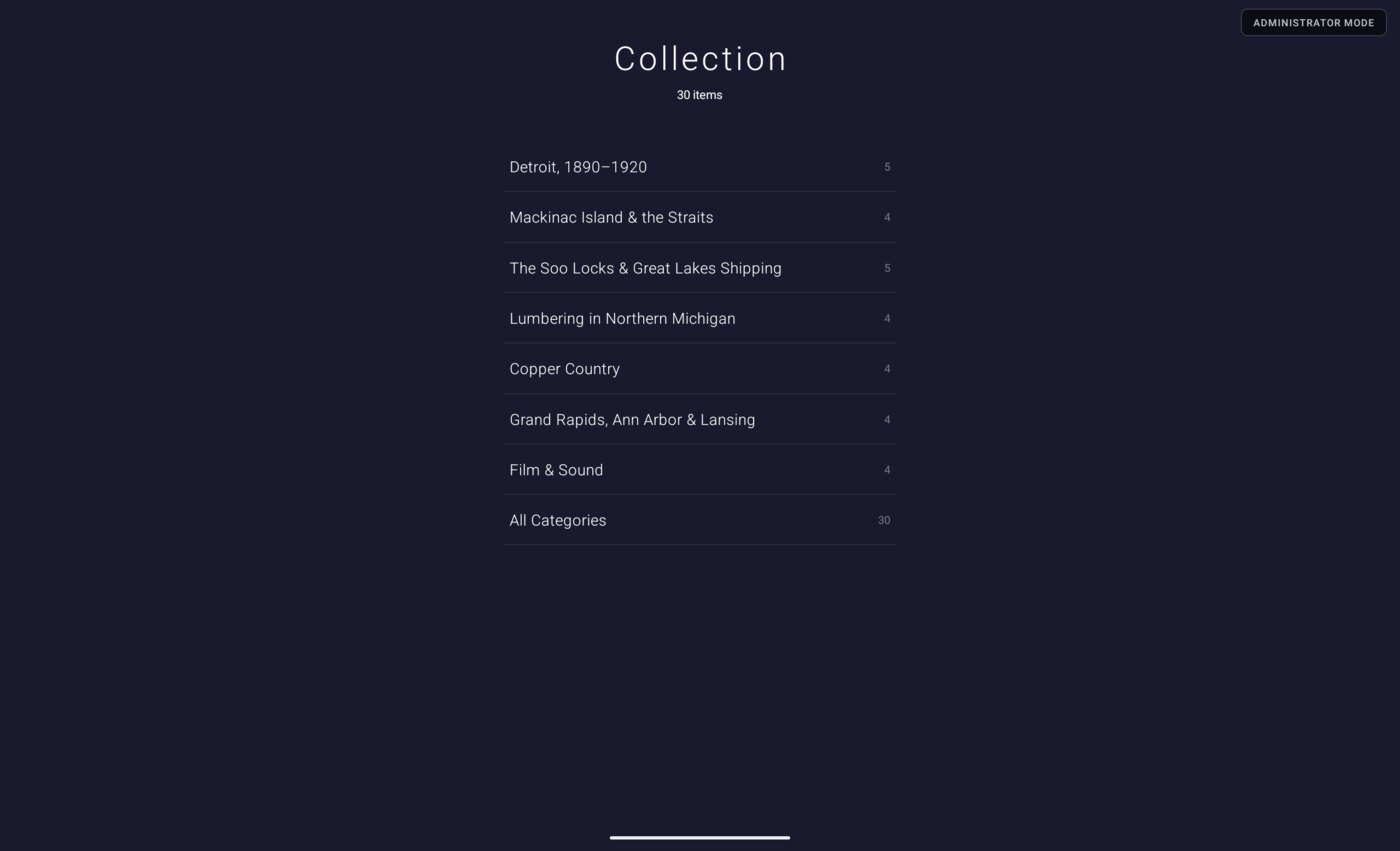
The menu is generated from each item's subject metadata. Add a subject to an item and it appears as its own category — there is no separate taxonomy to maintain.
Browse a category, then open an item
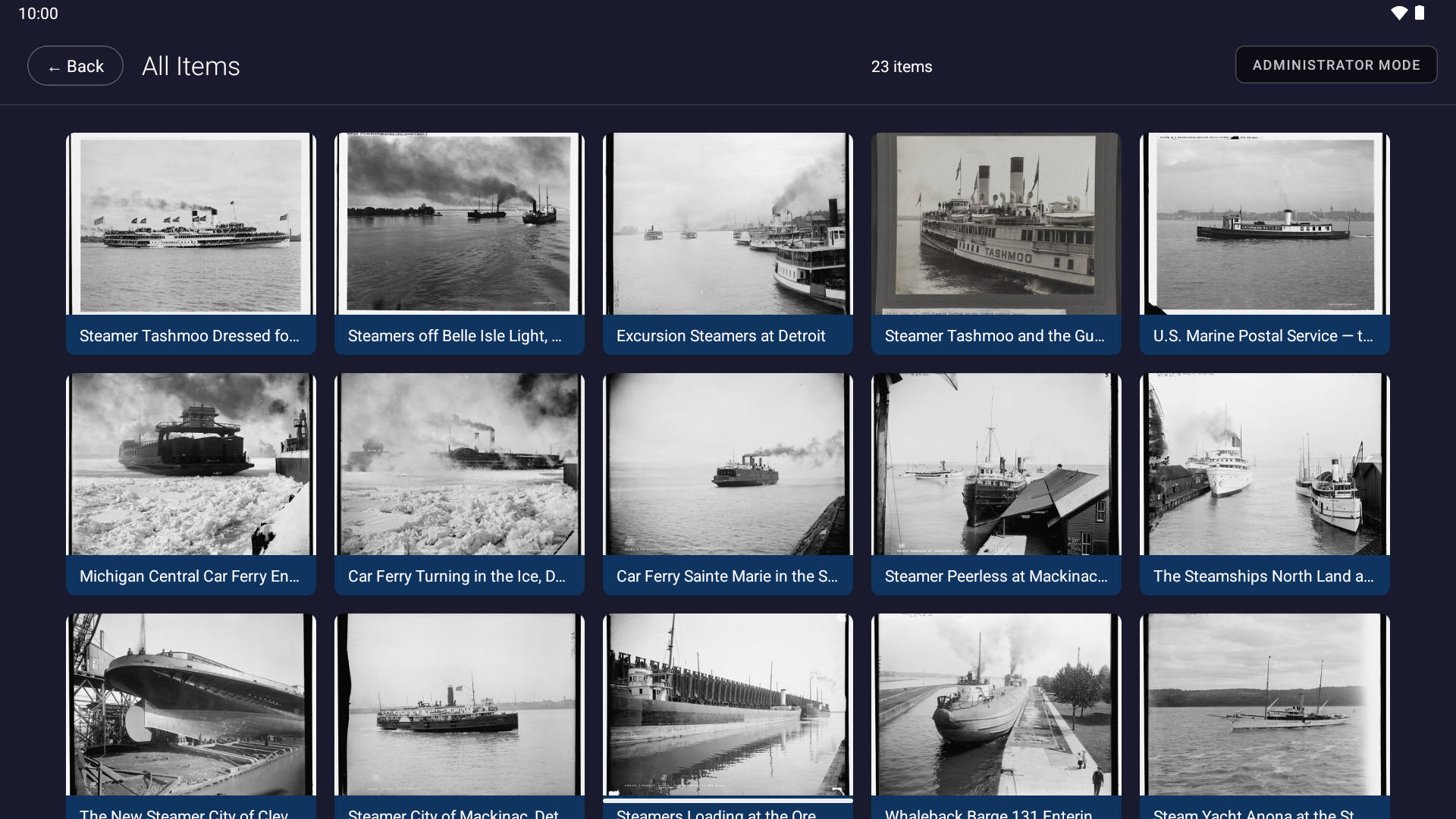
Each category opens as a thumbnail gallery. Video carries a play mark; audio, a musical note.
See the full record
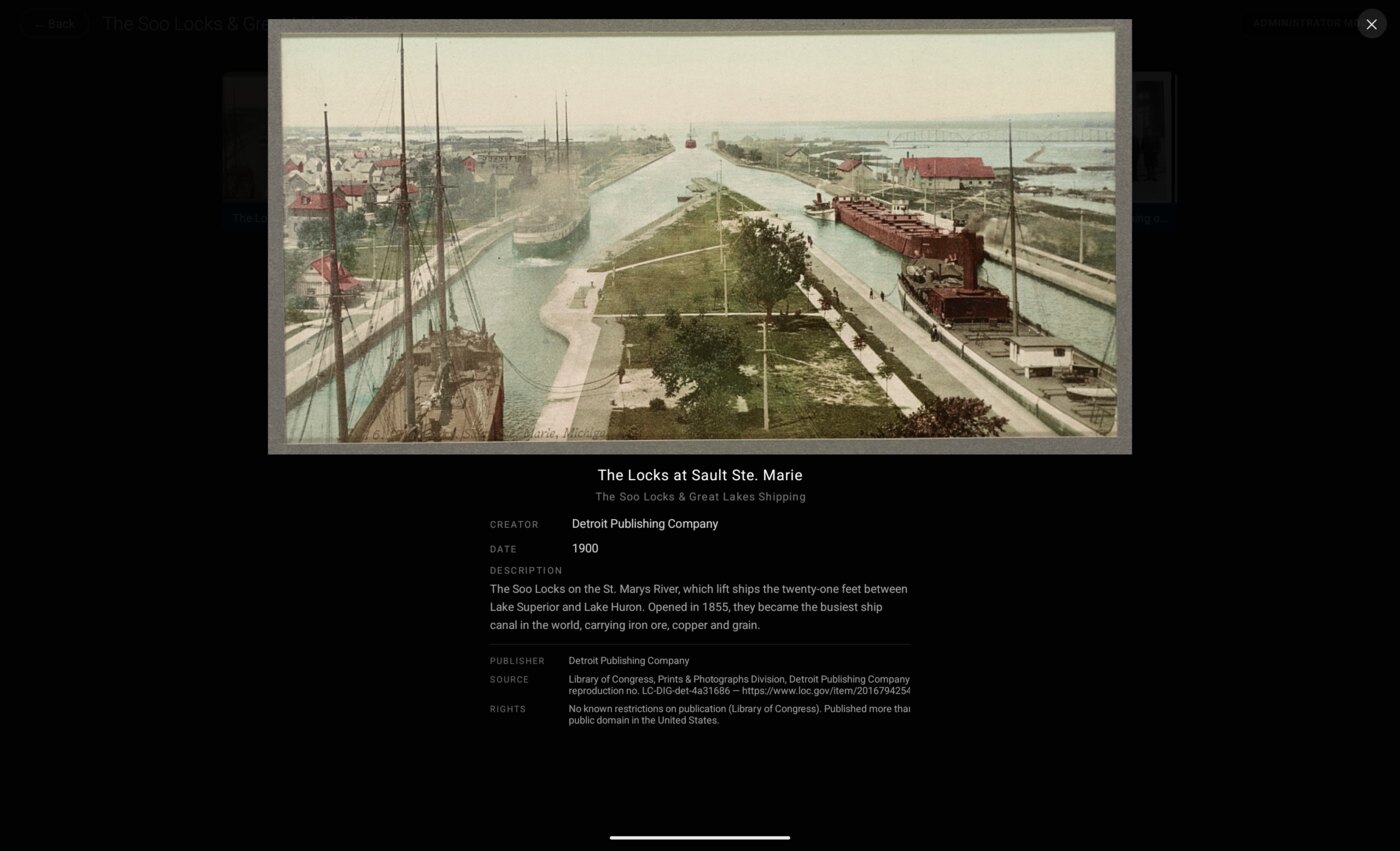
Tapping an item opens it full screen with its complete description — title, creator, date, source, rights — set out beneath.
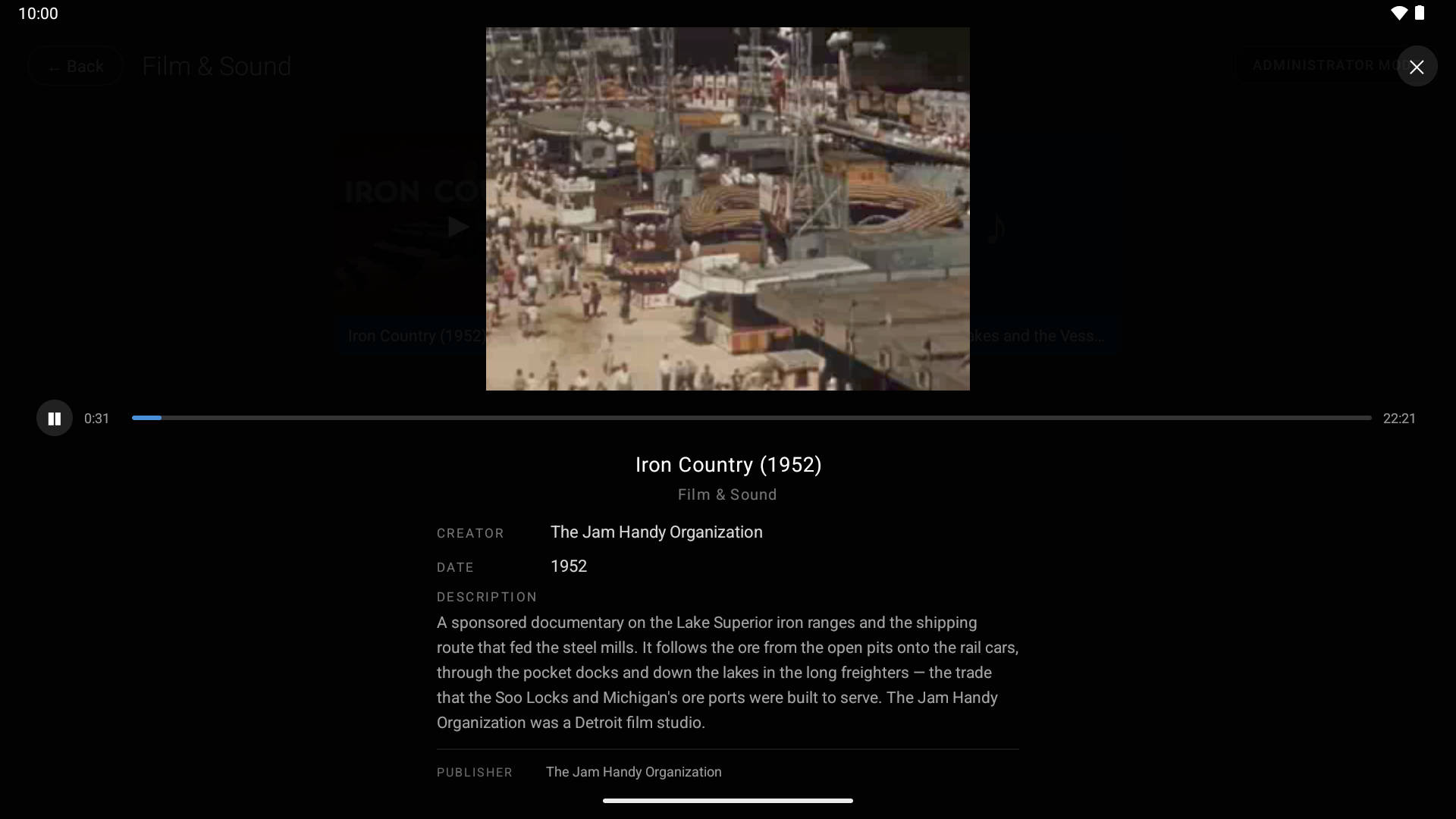
Film and audio play in the same view
Video and sound play inside the detail view with a simple transport bar. There is no separate player, and the record stays on screen beside the controls.
Built for unattended, all-day use
Everything a public kiosk needs to run on its own, with no ongoing IT involvement.
Standard metadata
Title, creator, date, subject, description, source, and rights follow the Dublin Core schema used in museums and libraries.
Photos, video & audio
One catalogue for all three media types, with playback for film and sound built into the item view.
Works fully offline
Media and metadata are stored on the tablet itself. Browsing and management need no internet connection.
Staff manage it on the tablet
An access code unlocks a hidden tool for adding, editing, and removing items directly on the kiosk — no desktop step.
Admin-gated
Only staff with the access code can change the collection. Visitors always see the read-only screens.
Automatic idle return
After a set period of inactivity, the kiosk returns to attract mode, ready for the next visitor.
Guided first-time setup
Short on-screen prompts show new staff where to sign in and where to add media. No manual required.
Touch-first, tablet-sized
Designed for large touch displays in portrait or landscape, with edge-to-edge support on modern Android tablets.
About
Transcending Digital has built custom applications for many years, with production deployments across business, museums, visitor centres, and trade shows. Museum Catalogue comes out of that work: a kiosk a small team can set up, fill, and leave running.
Have a collection to put on display?
Tell us what you would like visitors to see, and we will help you get a kiosk set up around it.